


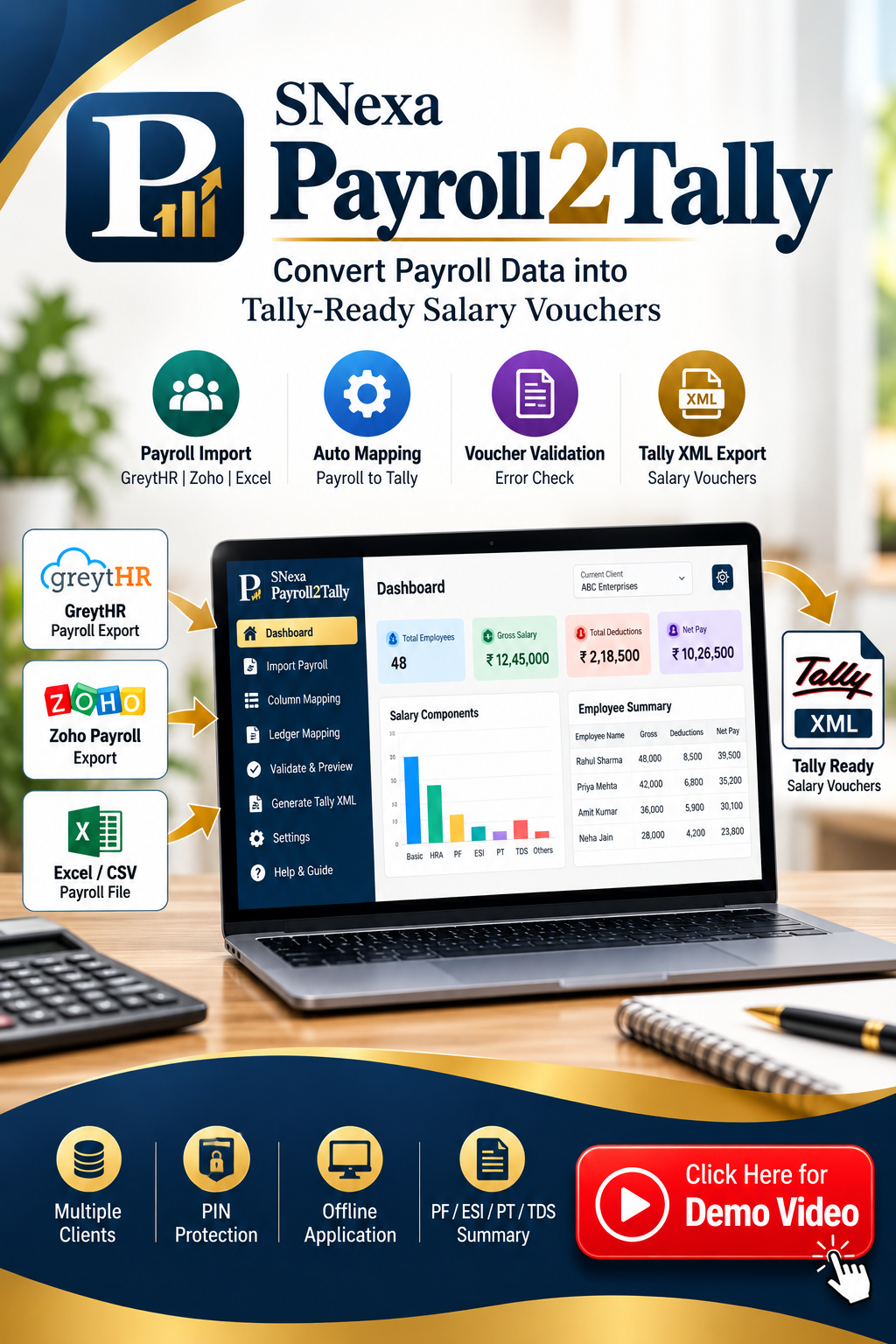

SNexa Payroll2Tally – Payroll to Tally XML Converter


 Self Paced Learning

- Rs. 699
Rs. 5,999- Rs. 699
- Unit price
- per
🎓 Subscribe for Free Classes & Book Reviews
Subscribe on YouTubeProduct Information
xPackage Details |
Software Access Link |
Sold & Dispatched By |
StudyNexa |
Validity |
Lifetime Access |
No. Of Views |
Unlimited |
System Requirements |
Windows,IOS & Andriod Any Device (No Internet Required) |
Delivery |
Within 48 Hours |
Brand |
StudyNexa |
Description
xSNexa BUSINESS SOFTWARE
SNexa Payroll2Tally
Convert Payroll Data into Tally-Ready Salary Vouchers
Import payroll data from GreytHR, Zoho Payroll or Excel, map payroll fields to Tally ledgers, validate salary calculations and generate Tally-compatible XML vouchers from one simple offline tool.
Stop Re-entering Payroll Data into Tally
Payroll processing often leaves accountants with another repetitive task — taking salary data from payroll software and manually creating salary vouchers in Tally.
SNexa Payroll2Tally simplifies this workflow by allowing you to import payroll files, automatically identify common payroll columns, map them to Tally ledgers, validate employee-wise salary figures and export Tally-compatible XML vouchers.
Simple workflow:
Payroll File → Import → Auto Mapping → Ledger Mapping → Validation → Voucher Creation → Tally XML
Payroll File → Import → Auto Mapping → Ledger Mapping → Validation → Voucher Creation → Tally XML
Powerful Payroll-to-Tally Features
📥 Payroll File Import
Import payroll data from GreytHR, Zoho Payroll or plain Excel/CSV files.
🔄 Smart Auto Mapping
Automatically identifies common payroll columns such as Employee ID, Employee Name, PAN, Gross Pay, PF, ESI, PT, TDS and Net Pay.
🧾 Ledger Mapping
Map payroll components to the appropriate Tally ledgers and save mappings for each client and payroll format.
✅ Voucher Validation
Review duplicate employees, negative pay values and debit-credit differences before generating vouchers.
📄 Tally XML Export
Generate a Tally-compatible XML file designed for import through Tally Prime → Import Data → Vouchers.
📊 Statutory Summary
Export a summary containing employee-wise Gross, PF, ESI, PT, TDS and Net Pay information in Excel format.
Benefits of SNexa Payroll2Tally
⏱ Save Repetitive Data Entry
Reduce the need to manually recreate salary entries in Tally from payroll reports.
📋 Work with Different Payroll Sources
Handle GreytHR exports, Zoho Payroll exports and manual Excel/CSV payroll sheets from one application.
🔍 Catch Errors Before Export
Review duplicate employees, negative salary values and debit-credit mismatches before creating your final vouchers.
🔁 Reuse Your Mapping
Column and ledger mappings are saved per client and payroll format, reducing repeated setup work.
👥 Manage Multiple Clients
Maintain separate clients with their own financial year and ledger mapping.
📦 Keep Payroll Workflow Organised
Follow a structured Import → Mapping → Validation → Export workflow instead of working through scattered spreadsheets.
How SNexa Payroll2Tally Works
1️⃣
Select Client
Choose or create the client and financial year.
2️⃣
Import Payroll
Upload Excel, CSV, GreytHR or Zoho Payroll data.
3️⃣
Map Data
Confirm payroll columns and Tally ledgers.
4️⃣
Validate
Check employee and voucher-level issues.
5️⃣
Export
Generate Tally XML and statutory summary.
Supported Payroll Data Sources
GreytHR Export
Import recognised GreytHR payroll export files with automatic format detection.
Zoho Payroll Export
Import recognised Zoho Payroll exports and map payroll fields to your Tally structure.
Manual Excel / CSV
Use your own payroll spreadsheet and manually confirm the column mapping where required.
Payroll Fields You Can Map
Employee ID Employee Name PAN Gross Pay Basic HRA PF ESI Professional Tax TDS Other Deductions Net Pay
Flexible Salary Voucher Creation
Employee-Wise Vouchers
Create individual salary journal vouchers for each employee.
Consolidated Voucher
Create one consolidated salary voucher covering the imported employee records.
Built-In Payroll Validation
Before export, SNexa Payroll2Tally checks the imported payroll records and flags issues that should be reviewed.
- Duplicate employee records
- Negative net pay
- Negative gross pay
- Debit-credit mismatch
- Missing Tally ledger mapping
- Unresolved mapping issues
Export Ready for Your Accounting Workflow
Tally XML
Download a Tally-compatible XML file and import it through Tally Prime → Import Data → Vouchers.
PF / ESI / PT / TDS Summary
Download an Excel summary containing employee-wise statutory deduction figures along with totals.
The statutory summary is for your records and does not itself file any statutory return or challan.
Designed for Accountants & Multi-Client Work
Create separate client profiles and maintain their financial year and payroll ledger mappings independently.
- Separate client vault
- Separate financial year / period
- Separate ledger mappings
- Separate payroll format mappings
- Last import tracking
Offline Business Software
SNexa Payroll2Tally works as an offline ledger and payroll conversion tool, with client and payroll data stored locally in the browser on the device.
🔐 Device PIN
Protect access to the application with a 4–6 digit PIN.
🔑 Device-Based License
Activation uses a device ID and license key.
💻 Local Workflow
Designed to work with payroll data stored on your device.
Why Choose SNexa Payroll2Tally?
✔ Payroll-to-Tally focused
Built specifically around converting payroll information into Tally salary vouchers.
Built specifically around converting payroll information into Tally salary vouchers.
✔ Multiple input formats
Work with GreytHR, Zoho Payroll and manual Excel/CSV files.
Work with GreytHR, Zoho Payroll and manual Excel/CSV files.
✔ Mapping you can reuse
Save field and ledger mappings by client and payroll format.
Save field and ledger mappings by client and payroll format.
✔ Validation before export
Review important payroll inconsistencies before generating vouchers.
Review important payroll inconsistencies before generating vouchers.
✔ Tally-ready output
Generate Tally-compatible XML through the application's export workflow.
Generate Tally-compatible XML through the application's export workflow.
Manual Payroll-to-Tally Work vs SNexa Payroll2Tally
| Task | Manual Process | SNexa Payroll2Tally |
|---|---|---|
| Payroll data entry | Manual | Import payroll file |
| Column identification | Manual review | Auto-mapping suggestions |
| Tally ledger mapping | Repeated work | Saved per client/format |
| Error checking | Manual | Built-in validation |
| Voucher creation | Manual entry | Employee-wise or consolidated |
| Tally output | Manual preparation | Tally-compatible XML |
Who Is SNexa Payroll2Tally For?
👨💼 Chartered Accountants
Useful for managing payroll-to-Tally workflows for multiple clients.
🧾 Accountants
Reduce repetitive salary voucher preparation.
🏢 Businesses
Convert payroll records into structured Tally vouchers.
💼 Payroll Professionals
Prepare payroll data for the accounting team more efficiently.
Get Started in 5 Simple Steps
Create Client → Import Payroll → Map Columns → Validate Vouchers → Export Tally XML
SNexa Payroll2Tally
Frequently Asked Questions
What is SNexa Payroll2Tally?
SNexa Payroll2Tally is a payroll-to-Tally conversion tool that imports payroll data, maps payroll fields to Tally ledgers, validates salary records and generates Tally-compatible XML vouchers.
Which payroll files are supported?
The software supports GreytHR exports, Zoho Payroll exports and plain Excel/CSV payroll sheets.
Can I use my own Excel payroll format?
Yes. Manual or unrecognised Excel/CSV formats can be mapped using the application's column-mapping screen.
Does it automatically map payroll columns?
The application provides automatic mapping suggestions based on recognised payroll column names. You can review and modify the mapping before processing.
Can I save ledger mappings?
Yes. Field and ledger mappings are saved per client and payroll format.
Can I create employee-wise salary vouchers?
Yes. The software can create individual salary journal vouchers for employees.
Can I create one consolidated salary voucher?
Yes. You can create one consolidated salary voucher covering the imported employees.
Does it validate payroll data?
Yes. It checks for duplicate employees, negative gross/net values, debit-credit mismatches and missing ledger mappings.
Can I export Tally XML?
Yes. The software generates a Tally-compatible XML file for importing vouchers through Tally Prime's Import Data → Vouchers workflow.
Does the statutory summary file statutory returns?
No. The PF/ESI/PT/TDS summary is generated for your records and does not itself file any statutory return or challan.
Simplify Your Payroll-to-Tally Workflow
Import payroll data, map your ledgers, validate salary records and generate Tally-ready XML vouchers with SNexa Payroll2Tally.
SNexa Payroll2Tally


