


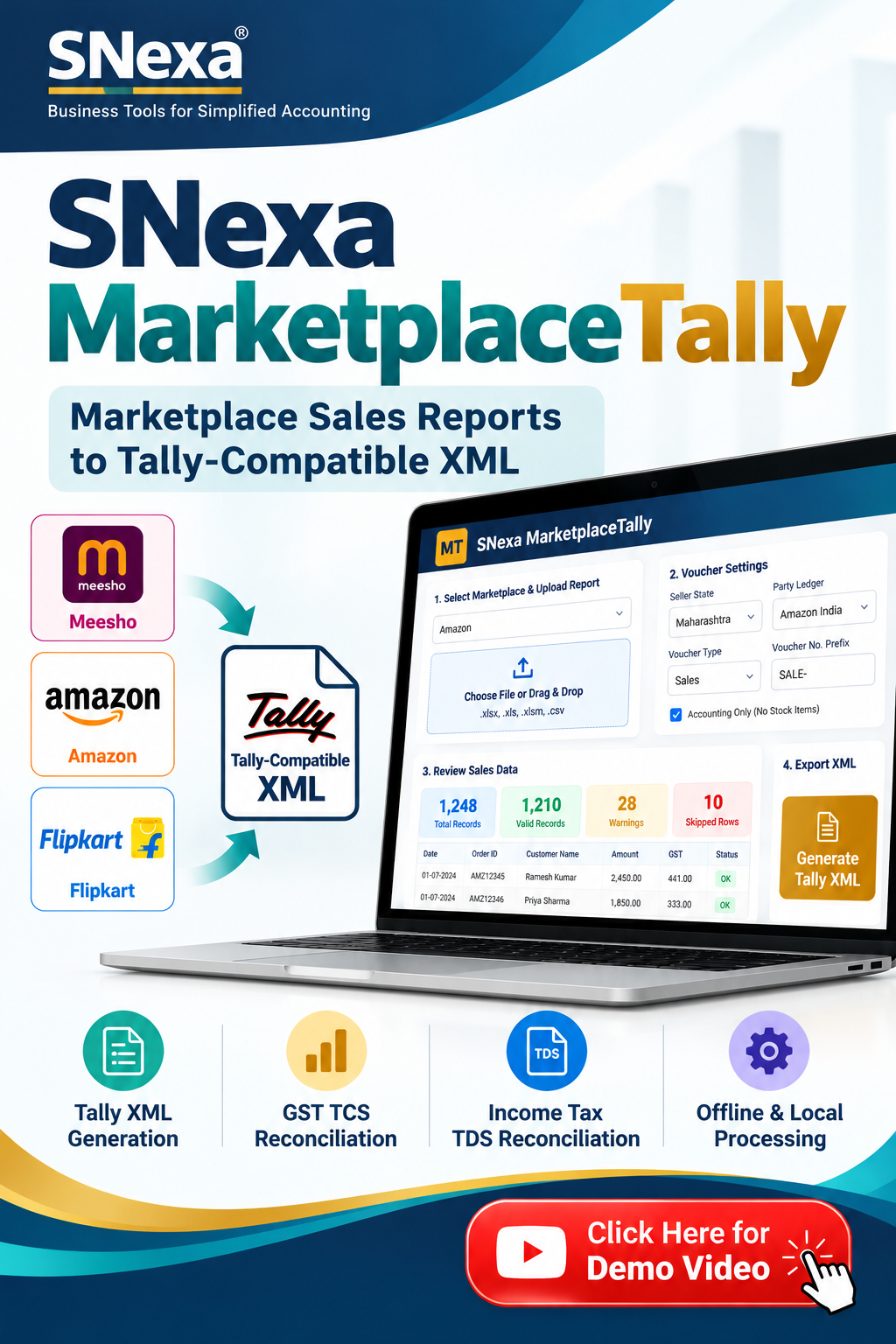
SNexa MarketplaceTally – Meesho, Amazon & Flipkart Sales to Tally XML Software


- Rs. 999
Rs. 5,999- Rs. 999
- Unit price
- per
🎓 Subscribe for Free Classes & Book Reviews
Subscribe on YouTubeProduct Information
xPackage Details |
Software Access Link |
Sold & Dispatched By |
StudyNexa |
Validity |
Lifetime Access |
No. Of Views |
Unlimited |
System Requirements |
Windows,IOS & Andriod Any Device (No Internet Required) |
Delivery |
Within 48 Hours |
Brand |
StudyNexa |
Description
xSNexa PROFESSIONAL ACCOUNTING SOFTWARE
SNexa MarketplaceTally
Marketplace Sales Reports to Tally-Compatible XML
Simplify your marketplace accounting workflow. Convert supported Meesho, Amazon and Flipkart sales reports into Tally-compatible voucher XML, review records before export, and compare eligible GST TCS and Income Tax TDS figures using supported reconciliation reports.
Meesho Amazon Flipkart Tally XML Export Local File Processing
A Smarter Way to Manage Marketplace Sales Accounting
When you sell through multiple e-commerce marketplaces, accounting can involve downloading reports, checking transaction data, preparing sales vouchers and reviewing tax credits. Repeating these activities manually can make the process time-consuming and difficult to standardise.
SNexa MarketplaceTally is a practical marketplace accounting utility designed to organise this workflow. Upload a supported marketplace report, review the records identified by the application, configure your voucher settings and generate a Tally-compatible XML file for manual import into Tally.
It also provides dedicated reconciliation workflows for comparing eligible GST Tax Collected at Source (TCS) figures with GST portal records and supported Income Tax Tax Deducted at Source (TDS) figures with Form 26AS or AIS data.
Why Choose SNexa MarketplaceTally?
Designed to make supported marketplace report processing more structured, reviewable and convenient.
📊
Less Repetitive Data Entry
Generate voucher XML from supported reports instead of preparing every voucher manually from scratch.
🛒
Multiple Marketplaces
Use one application for supported Meesho, Amazon and Flipkart sales-report workflows.
🧾
Tally-Compatible XML
Prepare sales voucher XML for manual import into your Tally accounting company.
🔍
Review Before Export
Inspect parsed records, skipped rows and warnings before generating the output file.
🧮
GST TCS Comparison
Compare eligible computed GST TCS figures against the GST portal's TDS and TCS Credit Received export.
📋
Income Tax TDS Review
Compare supported computed TDS figures with Form 26AS or AIS records for reconciliation purposes.
🔒
Local File Processing
Selected accounting files are processed locally in your browser rather than uploaded to a remote processing server.
⚙️
Configurable Vouchers
Set the seller's GST-registered state, party ledger, voucher type and optional voucher number prefix.
Supported Marketplace Reports
Select the relevant marketplace in the application and upload the corresponding supported report.
Supported file formats: .xlsx, .xls, .xlsm and .csv.
The application supports specified report structures; not every file exported from a marketplace is necessarily compatible.
Detailed Features & Capabilities
01. Marketplace Sales Report Processing
- Select Meesho, Amazon or Flipkart.
- Upload the corresponding supported spreadsheet or CSV report.
- Review parsed sales records and summary statistics.
- Identify skipped rows, warnings and records that need attention.
- Prepare the data for voucher XML generation.
02. Customisable Tally Voucher Settings
- Configure the seller's GST-registered state.
- Set the relevant marketplace party ledger.
- Choose the voucher type, with Sales as the default.
- Add an optional voucher number prefix.
- Choose accounting-only vouchers without stock items when suitable for your workflow.
- Generate Tally-compatible XML and review the voucher balance check before import.
03. GST TCS Reconciliation — Section 52
Marketplace sellers may need to compare computed GST TCS amounts with credits reflected in GST portal records. MarketplaceTally includes a workflow to compare eligible figures with the portal's TDS and TCS Credit Received export.
- Use computed figures derived from parsed sales data where supported.
- Enter computed figures manually when required by the workflow.
- Upload the relevant GST portal export for comparison.
- Apply available marketplace GSTIN and return-period filters.
- Review differences for further investigation.
Reconciliation results depend on source data and are intended to support review, not replace professional tax verification.
04. Income Tax TDS Reconciliation — Section 194-O
Review eligible marketplace TDS figures against Form 26AS or AIS data through the application's reconciliation workflow.
- Compare supported computed TDS figures with available tax records.
- Use the optional deductor-name filter where applicable.
- Review differences at aggregate or period level.
- Investigate discrepancies using the underlying marketplace and tax documents.
Important TDS limitation: Computed TDS is populated only when the uploaded supported data includes a TDS column. The current sales-report workflow does not parse the separate Amazon and Flipkart settlement reports needed for their TDS figures, so computed TDS may show zero for those sources.
05. Data Review & Validation
- Review parsed records before export.
- Inspect skipped rows and warnings.
- Check voucher totals for balance before generating output.
- Verify ledger configuration and tax-related details before importing into Tally.
- Resolve relevant GST rate, place-of-supply and HSN warnings with reference to your source records.
06. Offline-Friendly, Local Processing
- Selected files are processed locally in the browser.
- The spreadsheet-processing engine is bundled with the application.
- No remote upload of selected accounting files is required by the described processing workflow.
- Once the application is available on the device, it can operate without an active internet connection.
Business Benefits
Save Repetitive Effort
Reduce the need to manually prepare every supported sales voucher from the original marketplace report.
Improve Workflow Consistency
Use a structured process for report selection, record review, voucher configuration and XML export.
Identify Items for Review
Use skipped-row information and warnings to identify data that may need additional checking.
Support Tax Credit Checks
Bring eligible GST TCS and Income Tax TDS comparisons into a defined reconciliation workflow.
Keep Control of Import
Review the generated XML and import it manually when your accounting checks are complete.
Work Locally
Process files on your device without sending the selected accounting files to a remote processing server.
Manual Accounting vs SNexa MarketplaceTally
Compare a typical manual workflow with the structured workflow available in MarketplaceTally.
| Task | Manual Workflow | SNexa MarketplaceTally |
|---|---|---|
| Marketplace data handling | Review and organise spreadsheets manually | Parse supported marketplace reports |
| Sales voucher preparation | Prepare entries manually or with other tools | Generate Tally-compatible voucher XML |
| Voucher configuration | Configure during the manual process | Set party ledger, voucher type and prefix in the application |
| Data checks | Review source data separately | Inspect parsed records, skipped rows and warnings |
| GST TCS comparison | Calculate and compare using separate steps or tools | Use the built-in supported reconciliation workflow |
| Income Tax TDS comparison | Compare supported figures separately | Use supported aggregate or period-level reconciliation |
| Processing environment | Depends on tools and process used | Local browser-based processing, including offline use once available |
The comparison describes workflow differences, not a guarantee of a specific time saving or error-free accounting. Results depend on the source reports and review performed.
How It Works
01
Select Marketplace
Choose Meesho, Amazon or Flipkart.
02
Upload Report
Choose a compatible spreadsheet or CSV file.
03
Review Records
Check parsed entries, skipped rows and warnings.
04
Generate XML
Configure voucher settings and export the XML file.
05
Import into Tally
Review the file, then import through Tally's Vouchers import workflow.
Who Should Use SNexa MarketplaceTally?
✓ Meesho marketplace sellers
✓ Amazon sellers
✓ Flipkart sellers
✓ Accountants and bookkeepers
✓ Chartered Accountant firms
✓ Businesses using Tally for accounting
Product Specifications
| Product Name | SNexa MarketplaceTally |
| Product Type | Marketplace accounting and Tally XML utility |
| Supported Marketplaces | Meesho, Amazon and Flipkart, for supported reports |
| Input Formats | XLSX, XLS, XLSM and CSV |
| Output | Tally-compatible sales voucher XML |
| Tax Reconciliation | Supported GST TCS and Income Tax TDS comparison workflows |
| Processing | Local browser processing; offline use once the application is available |
| Activation | Device-based licensing; follow the supplied activation instructions |
Important Information Before Purchase
- No direct Tally connection: The application generates XML files. You import them manually through Tally's Gateway → Import Data → Vouchers workflow.
- Report compatibility: Only supported report types and structures are intended for processing.
- Tax review remains essential: Verify GST rate, place of supply, HSN-related warnings, ledger selection and voucher details against the original records.
- TDS data limitations: Computed TDS requires a supported input containing a TDS column. Separate Amazon and Flipkart settlement reports are not parsed by the current sales-report workflow.
- Aggregate reconciliation: GST TCS and Income Tax TDS reconciliation is aggregate or period-level, not a per-order reconciliation.
- Independent product: SNexa MarketplaceTally is an independent utility and is not officially affiliated with or endorsed by Tally, Meesho, Amazon or Flipkart.
- Professional verification: Reconciliation results are intended to assist review and should be checked against original documents before accounting or tax decisions.
Frequently Asked Questions
1. What does SNexa MarketplaceTally do?
It processes supported Meesho, Amazon and Flipkart sales reports, generates Tally-compatible sales voucher XML and provides supported GST TCS and Income Tax TDS reconciliation workflows.
2. Does it automatically post vouchers into Tally?
No. It generates an XML file that you review and import manually into Tally through Gateway → Import Data → Vouchers.
3. Which file formats can I upload?
The application accepts XLSX, XLS, XLSM and CSV files for supported report structures.
4. Can I reconcile marketplace GST TCS?
Yes. You can compare eligible computed GST TCS figures with the GST portal's TDS and TCS Credit Received export, using the filters available in the application.
5. Does it support Section 194-O TDS reconciliation?
It supports aggregate or period-level comparison with Form 26AS or AIS data. Computed TDS depends on the required TDS column being present in the supported uploaded data.
6. Are my files uploaded to an external server?
Selected accounting files are processed locally in your browser rather than uploaded to a remote processing server by the described application workflow.
7. Can I import the generated XML without checking it?
Review the parsed records, warnings, ledger settings, voucher totals and tax treatment first. Resolve any issues before importing or finalising the accounts.
SIMPLIFY YOUR ACCOUNTING WORKFLOW
Bring Marketplace Reports into a More Organised Workflow
Prepare sales voucher XML from supported marketplace reports, review important records and compare eligible tax credit figures with SNexa MarketplaceTally.
SNexa MarketplaceTally
Marketplace Sales • Tally XML • Tax Reconciliation


